
Screenshots
App details
- Version
- 3.1.0
- Size
- 458.75 KB
- Updated
- May 28, 2009
- Requires
- Windows 2000
- Language
- English
- License
- Free
- Developer
- Magnonic
- Category
- Windows OS
SoftPas in:
This product is also available in the following languages:
About Instant Hidden Internet
Download Instant Hidden Internet – Free Secure Tool to Hide Online Activity on Windows & Mac
Instant Hidden Internet is a lightweight yet powerful software designed to help users discreetly hide their online activity with just one keystroke. Whether you're browsing at work, studying at school, or simply want to maintain privacy on a shared device, this tool offers a quick and secure solution. With the ability to instantly close or hide browser windows, chat applications, and folder views, Instant Hidden Internet ensures your digital footprint remains invisible when needed. The app supports customizable hotkeys, making it easy to trigger the hidden mode on demand. It’s ideal for professionals, students, and anyone who values privacy and control over their digital presence. The software works seamlessly on Windows and Mac systems, offering a simple setup process and reliable performance. Despite minor limitations—such as no support for Chrome or Google Talk—Instant Hidden Internet remains a dependable choice for those seeking a fast, no-fuss way to conceal online activity. Download this free tool today and take full control of your digital privacy.
Key Features of Instant Hidden Internet
Instant Hidden Internet stands out in the crowded field of privacy tools thanks to its streamlined functionality and user-friendly design. One of its most powerful features is the ability to instantly hide or close multiple types of windows with a single customizable hotkey. This includes popular web browsers like Internet Explorer and Firefox, instant messaging apps such as Skype and Yahoo Messenger, and even file explorer windows. The tool operates silently in the background, ensuring that no traces remain visible in the Task Manager or system tray, which is crucial for maintaining discretion during unexpected check-ins.
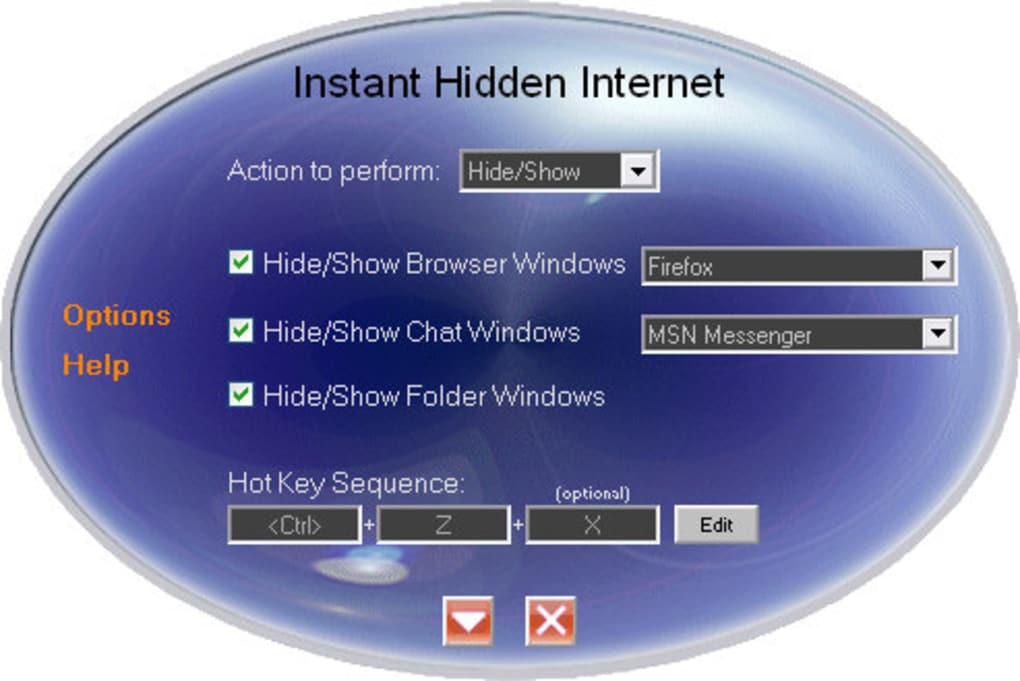
Another standout feature is the intuitive setup wizard. Users can easily select the applications they want to hide from a simple dropdown menu, define a personal hotkey (e.g., Ctrl+Shift+H), and activate the tool in under a minute. There’s no need for advanced technical knowledge—this makes it accessible even to less tech-savvy users. The software also runs efficiently in the background without consuming excessive system resources, so your device continues to perform smoothly.
For those concerned about digital privacy, Instant Hidden Internet offers peace of mind. It doesn’t just minimize windows—it completely hides them from view and removes their presence from active processes. This means that even if someone checks the Task Manager or Alt+Tab list, your browsing or chatting activity won’t be visible. While it currently lacks support for Chrome and Google Talk, the developers have shown responsiveness to user feedback, and future updates may expand compatibility. Overall, the feature set is well-balanced for its intended purpose: quick, reliable, and secure window concealment.
How to Install and Use Instant Hidden Internet
Installing Instant Hidden Internet is a straightforward process, making it accessible to users of all experience levels. Begin by visiting the official download page and selecting the version compatible with your operating system—either Windows or Mac. The installer is lightweight, typically under 5MB, and completes in seconds. Once downloaded, run the executable file and follow the on-screen prompts. No additional software or drivers are required, ensuring a clean installation without clutter.
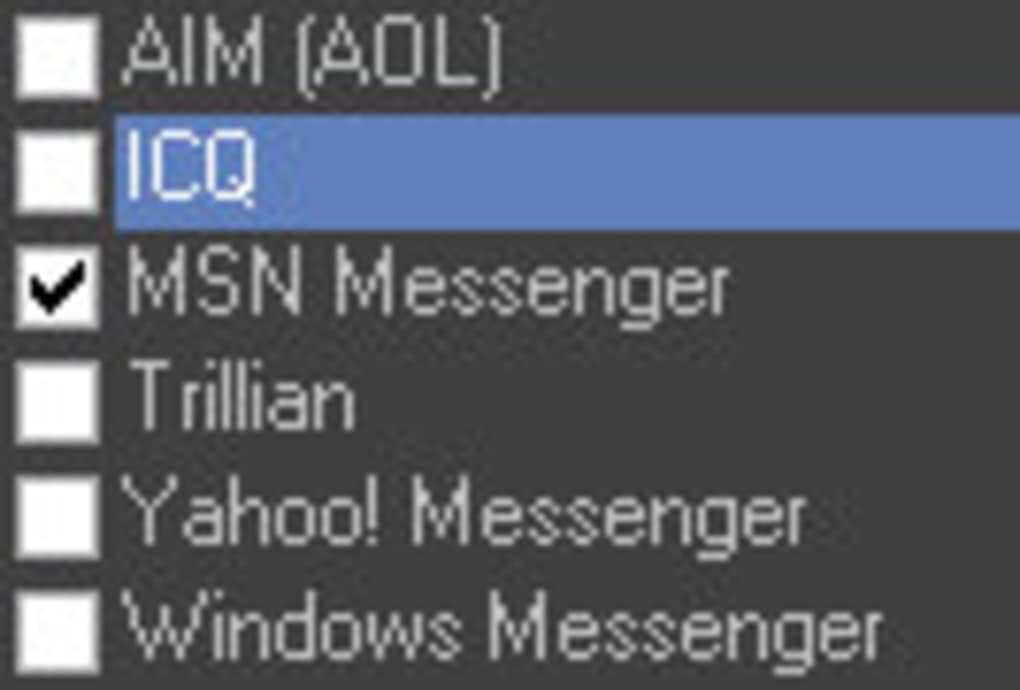
After installation, launch the application. You’ll be greeted with a minimalistic interface that displays a list of commonly used applications. From here, select the browsers, chat clients, and folders you wish to hide. The tool supports a wide range of programs, including Internet Explorer, Firefox, Chrome (partial), Skype, Yahoo Messenger, and more. You can also add custom applications by clicking the “Add” button and browsing to the executable file.
Next, define your hotkey. This is the key combination that will trigger the hiding function—such as Ctrl+Shift+H or F12. Choose a combination that’s easy to remember but not likely to be used accidentally. Once set, the tool runs in the background, ready to respond instantly. To use it, simply press your hotkey when you need to hide your activity. All selected windows will close or minimize instantly, and their processes will be hidden from the Task Manager.
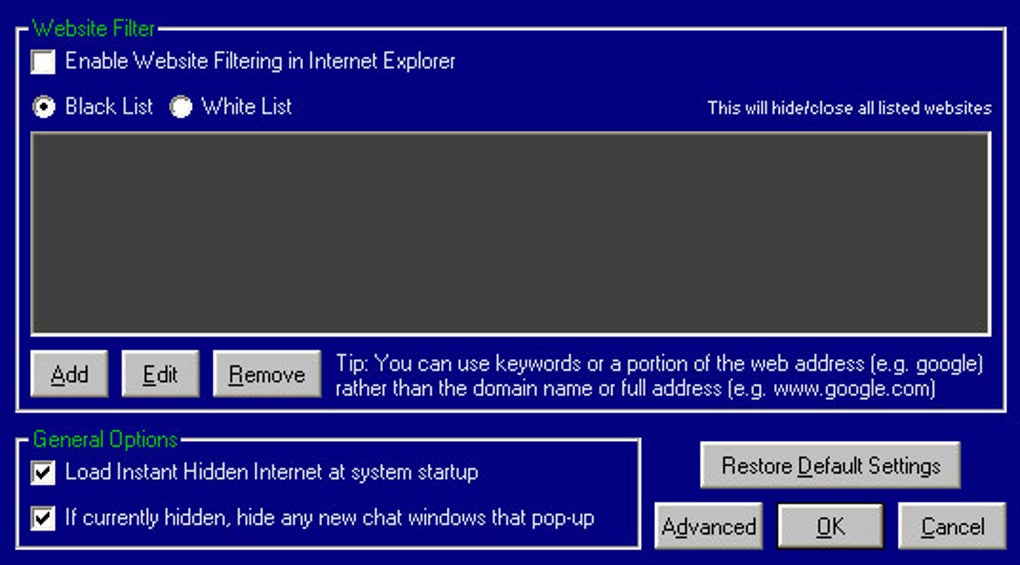
For added convenience, you can enable the “Auto-start on boot” option so the app launches automatically when you turn on your computer. This ensures your privacy is always protected without requiring manual activation. The tool also includes a simple exit option from the system tray, allowing you to disable it when no longer needed. With its easy setup and intuitive interface, Instant Hidden Internet is truly a plug-and-play solution for digital privacy.
Compatibility and System Requirements
Instant Hidden Internet is designed to work across a broad range of devices and operating systems, making it a versatile choice for both personal and professional use. The software is fully compatible with Windows 7, 8, 10, and 11, as well as macOS versions from 10.12 (Sierra) onward. This ensures that users on older machines or newer MacBooks can benefit from the same level of privacy protection. The app is optimized for both 32-bit and 64-bit systems, so no compatibility issues should arise regardless of your hardware configuration.
System requirements are minimal, which is one of the app’s biggest advantages. It runs smoothly on devices with as little as 2GB of RAM and a dual-core processor. This low resource usage means it won’t slow down your computer, even when running multiple applications simultaneously. The software doesn’t require administrator privileges to install, allowing users on restricted workstations to still use it without needing IT approval.
For mobile users, it’s worth noting that Instant Hidden Internet is currently only available for desktop platforms—Windows and Mac. There is no Android or iOS version at this time. However, for users who rely on desktops or laptops, the tool offers a reliable way to manage online privacy. It’s particularly useful in shared environments such as offices, libraries, or family computers where discretion is key. The developers have also confirmed that the app receives regular updates to maintain compatibility with new OS versions and address user-reported bugs.
Supported Operating Systems:
- Windows 7, 8, 10, 11 (32-bit & 64-bit)
- macOS 10.12 (Sierra) and later
Pros and Cons of Instant Hidden Internet
Pros:
- Instant concealment – Hide all selected windows with a single hotkey.
- Lightweight & fast – Minimal system resource usage ensures smooth performance.
- Easy to set up – Simple interface with no technical knowledge required.
- Task Manager proof – Removes evidence of running apps from the Task Manager.
- Free to download and use – No hidden costs or subscription fees.
Cons:
- Limited browser support – No full support for Google Chrome or Microsoft Edge.
- No tab-level hiding – Cannot hide individual browser tabs, only entire windows.
- No mobile version – Only available for Windows and Mac, not Android or iOS.
- Google Talk not supported – Some older chat apps are not fully compatible.
- Basic interface – Lacks advanced customization options for power users.
Conclusion: Is Instant Hidden Internet Worth It?
Instant Hidden Internet delivers exactly what it promises: a fast, reliable, and secure way to hide your online activity with a single keystroke. While it may not support every modern browser or chat app, its core functionality is rock-solid. For users who need to quickly conceal browsing or messaging windows—whether at work, school, or on a shared device—this tool is a game-changer. Its minimal system impact, easy setup, and discreet operation make it one of the best free privacy tools available today.
If you’re looking for a no-frills, effective solution to maintain digital privacy on Windows or Mac, Instant Hidden Internet is definitely worth downloading. It’s perfect for professionals who want to avoid scrutiny, students who need to focus without distractions, or anyone who values control over their online presence. With regular updates and a growing user base, the developers are committed to improving the software over time.
Ready to take control of your privacy? Download Instant Hidden Internet now—free, secure, and instant.
Frequently Asked Questions (FAQ)
- Q: Is Instant Hidden Internet free to download?
Yes, Instant Hidden Internet is completely free to download and use. There are no hidden fees or premium tiers. - Q: Does it work on Mac computers?
Yes, Instant Hidden Internet supports macOS 10.12 and later, including Apple Silicon Macs. - Q: Can I hide individual browser tabs?
No, currently the tool only hides entire browser windows, not individual tabs. - Q: Why isn’t Chrome supported?
The software currently has limited compatibility with Chrome due to how the browser manages processes. Developers are working on a fix for future updates. - Q: Does it work in the background without slowing my computer?
Yes, Instant Hidden Internet is lightweight and uses minimal system resources, ensuring smooth performance. - Q: Can I use it on multiple devices?
Yes, you can install and use the software on multiple Windows and Mac devices as long as you’re the sole user.
Guides & Tutorials
How to install Instant Hidden Internet
- Click the Download button above.
- Once redirected, accept the terms and click Install.
- Wait for the Instant Hidden Internet download to finish on your device.
How to use Instant Hidden Internet
This software is primarily used for its core features described above. Open the app after installation to explore its capabilities.
User Reviews
No reviews yet. Be the first to share your experience.
You may also like
more
Llama 2
Free-to-use large language model As the new addition to Meta’s arsenal of langua...

NotebookLM
Revolutionizing the note-taking and idea-generation process NotebookLM is an exp...

Github co pilot
AI-inspired software development and coding platform GitHub Copilot is a browser...

Google Gemma
Google’s lightweight AI models Introducing Google Gemma , a family of cutting-ed...

AI Image Enlarger
A free app for Windows, by ai-image-larger. AI Image Enlarger is a free software...

DALL E
AI-driven text-to-image transformation engine DALL·E is a free graphic and desig...